Sunday, November 30, 2008

NeoBux pays... and pays... and pays... and pays!!!

Another paid-to-click site I made good experience with is NeoBux. With no doubt it's one of the best PTC sites on the net right now.
What makes this site so special? NeoBux was the first one who offered instant payments. It was a revolution in paid-to-click industry. Just request, confirm, and in less than a minute you'll receive an AlertPay/PayPal e-mail: NeoBux paid you!
NeoBux was also the first who started to rent referrals instead of selling them. Renting a referral for a month costs 30c for a free (standard) member and 20c for an upgraded (gold) member. It is benefitial to a client (clicker/advertiser) and the site too, a win-win situation. From point of view of a clicker, he can replace his inactive referral. He even has not to wait a whole month - he can recycle each referral any time he wants to, and replacing costs 8c only.
NeoBux is only renting referrals that have clicked at least 10 advertisements in the past 5 days. It also has an extremely smart weapon to keep members active: every day a member has not clicked the ads he will not earn from his referrals too. The referral clicks will be calculated based on the clicks the member made on the previous day. It makes even a laziest member with the largest referral base to grasp his mouse.
The fastest, easiest and cheapest way to keep active referrals is using auto-pay. A member who wants to use it has to transfer some money to his NeoBux account. Activating autopay extends the next payment date for referrals. On the first click each referral makes per day, the member who rented him pays to keep him/her for an extra day. That way the less active ones will be sorted out with time, and the renting member saves 10% too.
For a free member minimum 4 clicks a day are guaranteed, for a gold member - 9. A smart neobuxer checks many times a day and usually will rewarded for it with some extra clicks;-) It depends on advertisers, though.
Now to the most important thing: payments. NeoBux pays via Alertpay and PayPal, via PayPal there is a tiny fee, though. The first payment is only $2, the next is $3, then $4 and so on until $10. The small $2 first payment is extremely newbie-friendly. This way even the members who haven't built their downline, and who haven't enough money to rent referrals can get their money faster.

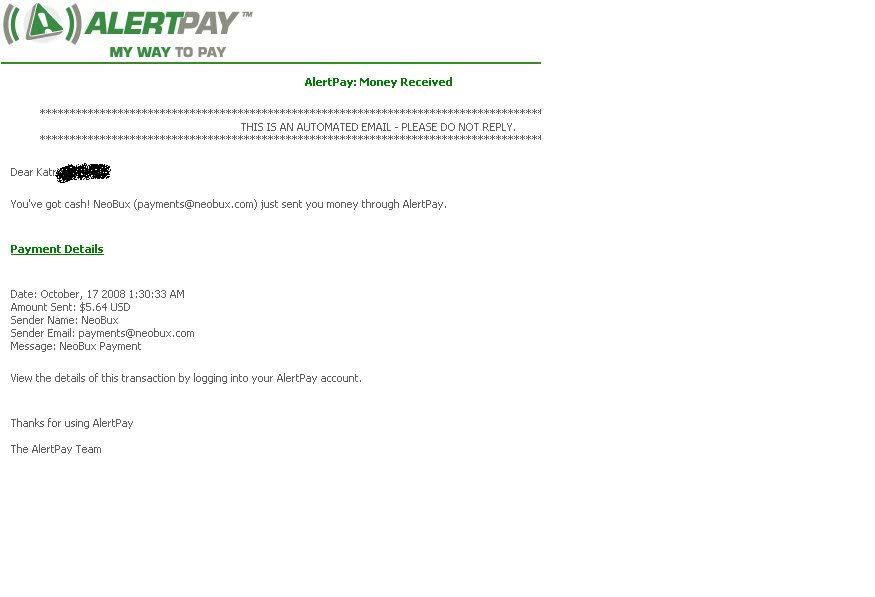
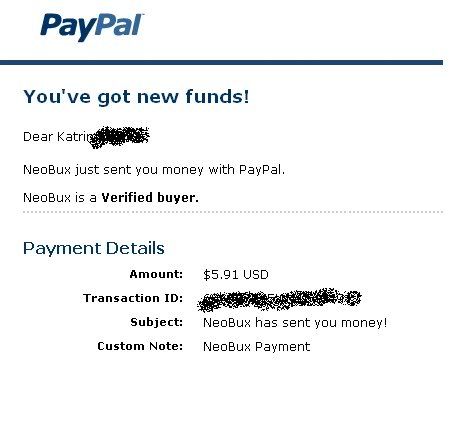
Candy for payment proof lovers: there are two this time:-)
I was paid via AlertPay and PayPal

Enough said. NeoBux has over 2 million happy members. 2 million people can't be wrong!

make free money online

Thursday, July 31, 2008

Does anybody need a 100% FREE webpage?

I did, until I found out that EVERYBODY who has a g-mail account can create a webpage for free. There aren't any hosting fees either, these pages are hosted on Google servers for FREE! Every g-mail user gets up to 100MB of space for his pages.
All you have to do is to
1) sign up to a g-mail account here http://www.google.com/intl/en/about.html (if you haven't one already);
2) go to http://www.pages.google.com/
3) and start creating your page using Google Page Creator!
The process is very easy, everybody who is able to write a blog should be able to make his own googlepage too. There is a good "about" section also, which (at least in my opinion) explains everything very clearly.
You can choose between various templates. You can insert links. You can insert pictures. You can change fonts and colors. You can preview your page. You can publish your page with one single mouseclick. Your url will look like http://yoursitename.googlepages.com
Don't wait any longer, your 100MB are waiting for you!
P.S. If you wish to see my first creation, go to my profile - I added it as "My webpage". It is a review of a program I'm promoting.

Saturday, July 19, 2008

TE Toolbox and my first splash pages

Traffic exchange experts are saying, it's better to use splash pages than original pages on traffic exchange sites.
For those who don't know what a splash page is - according SearchSOA.com it's an initial web site page used to capture the user's attention for a short time as a promotion or lead-in to the site home page.
A splash page is loading quickly. Most traffic exchanges have 10 - 15 second timers. During this time a surfer has to understand what the site is offering. I.e., the splash page has to go right to the point.
Traffic Exchange Toolbox is a great splash page creator. It's free to use (when one want's more he can upgrade any time), there's no need to buy a domain, pay for hosting, buy scripts etc.
On TE Toolbox everybody can add created pages to the rotator, and everybody can see the stats. It's important, because that way an user can find out which splash pages are making more click throughs, and improve or delete the not effective ones. I guess I will delete the first splash page I ever made. Next two are performing better.
Dear reader, feel free to take a look at the second and third splash page I made in my life. Perhaps you can give me some advices;-)
Below is a link to the splash page I made for a MLM program called Freebie Force. I tried to make it as funny as possible (I have a solid squeeze page for it too but it is made by profis and therefore not a subject of this post):

http://www.tetoolbox.com/splash/4905/

The splash page for My Power Mall I tried to make as classical-looking as possible:

http://www.tetoolbox.com/splash/4908/

On the Freebie Force splash page the text is a bit too small but I couldn't do anything about it. If I'd made it bigger it were too big for the screen of my laptop. I wanted to make it to fit.
There are funny images on this page. TE Toolbox offers over 6000 clip art images, and they are free to use for everybody. It is also possible to upload an image from the web, as I did for My Power Mall splash page.
TE Toolbox is easy to use (I can say that after making my third page LOL!) but at the first time I had some problems, though. I looked for help and found a great tutorial video on Tim Linden's blog. Tim Linden owns TE Toolbox and StartXchange, which has over 38,000 members, delivered traffic since 2001 and worth to join (if you aren't a member already!). I also recommend to sign up to Tim's blog, or at least to bookmark it. It is very (I really mean it, VERY) informative.
OK, enough said. I better go and make some splash pages more!

Sunday, June 8, 2008

How to create a payment proof

If you really want to promote something, it's sometimes benefitial to add a payment proof. There are so many sceptics nowdays. And much, much more cheaters!
About a year ago I tried to find a good payment proof creating tutorial, which would be understandable for everybody, incl. a newbie online like me. I failed. I did understand, though, I have to create a screenshot (what the heck is a screenshot?) and then I have to host it somewhere (for Heaven's sake, tell me, where!).
There was an additional problem with banners. There are sites which don't allow their members to use banner codes from their site because it eats their bandwidth. They are saying: "Please host the banner on your own webspace, thanks", or "Please download the banner you wish to use to your own webhosting to save our bandwidth," or even "You MUST download the following image and upload it to your web site to display the banner on your web site." Thanks so much, I would if you'd tell me HOW to do it!
OK, to make it short - I've found the solution on a forum of a PTC site. The site turned out to be a scam and doesn't exist anymore but the information I've got there was/is valuable enough to share it. In fact, creating a screenshot it's easy like 1-2-3.

1)Open the page you want to print, FE an e-mail from PayPal.
2)Press "Print Screen" on our keyboard. It's a button PrtSc/SysRq, and it's located on the top in the right corner.
3)Now open Paint - (Start>All Programs>Accessories>Paint). It may be some other image editing tool also but I'm always using Paint because it's so easy.
4)Either press "ctrl-v" or click "edit>Paste".
5)Adjust it the way you like, FE cover the personal information you do not want to be shown online, like your e-mail address etc., using a brush.
6)If ready, save the image by clicking "File>Save" or "ctrl-s" in My Documents>My Pictures.
7)Upload it to the web. There are many sites for free image hosting on the web. I've used Photobucket so far. Create an account, if you haven't one. Create an album, name it as you like, FE "Proofs", and then in "Upload Images&Video" pick "from my computer". Click "choose files". A new window will appear, where you'll see the pictures stored on your computer. When you click on the right picture it uploads automatically.
8)When ready, you'll see 4 URLs below your uploaded screenshot, incl. the direct URL and IMG code URL, and these both are exactly what you need. When you insert the direct URL on a forum or a website just add: "Click here to see the payment proof". You'll need it also when you're uploading banners somewhere.
For payment proofs people usually prefer the IMG code URL (will look like [img] http://www.photobucket.com/this/is/my/url.jpg [/img]) - it produces the picture.

Good luck with payment proofs and banners!

Sunday, September 23, 2007

Payment processors

There are some great news, especially for all Estonians. We can now receive money via PayPal too, which makes moneymaking online much easier. There are so many great sites on the net, which are paying via PayPal only - from simple PTC-s to PayDotCom (similar to Clickbank, brings vendors and affilate marketers together) etc.etc. Just awesome.
I had a PayPal account before, it's very comfortable and a quite secure way to make all your payments online. Who hasn't made it yet, I suggest to sign up immediately:

Sign up for PayPal and start accepting credit card payments instantly.

For those who can't receive money via PayPal are alternatives available.
Moneybookers is a great payment processor, works similar to PayPal. Take a look, and if you like it, sign up!


So is AlertPay - a great help for those who can't receive money via PayPal:


and last but not least - there is e-gold:


Some sites are not accepting e-gold, mostly because of availability. I would still suggest to sign up with e-gold too, especially when your resources are limited and you are using cheap PTC and PTR sites for advertising like me. I've got many times 20 and even 25% discount when paid for my ad in e-gold;-)
Actually it would be smart to sign up with all of them. There are so many great but very cheap digital products with reseller rights available on the net, and you can sell from them your webpage. The more payment processors you can add to your website the more customers you'll have. And what does it mean for you? Free money, of course...
Besides, all payment processors have affiliate programs. Everybody who does sign up and gets some referrals, starts making some nice free money right away!

Sunday, August 19, 2007

My Free Website Builder


There is a brand new freebie from the top marketer Ewen Chia - My Free Website Builder. I did download it just now, and it seems to be great. It is really free, and it's absolute no-brainer.
Zero HTML knowledge required. There is also a video which explains how it works. At the moment there are 108 free templates available! I have to admit that my webmastering skills are... let's say "extremely limited" but I was able to understand everything:-)
Like most Ewen's products it's a turnkey. Everybody who does download it can promote it, and make money doing it. The website builder is free, the keyword list to promote it is free, a 36-page e-book revealing website conversion tactic secrets is free but there are a some not free products added too. There is no obligation to buy but actually they are worth to! I guess, a lot of people agree with me and are making a purchase... and some nice commissions are landing on promoters clickbank account.

Take a look now: My Free Website Builder

Saturday, July 21, 2007

New era of safelists

It doesn't matter what you are promoting, simple paid-to sites or the most sophisticated software ever - you have to reach your potential referrals and customers. A great - and free - way to do it is credit based safelist advertising.
I wrote about GotSafelist below. I'm still glad I've joined it. It's an awesome credit based safelist, very responsive (I can't count all sign ups I've got there for various programs), and it pays members for clicking hotlinks. As far as I know, some people are using it as PTR (paid to read) site! No wonder actually. If I hadn't use my credits for posting ads every day, I'd make at least $300 already at GotSafelist, I guess!
There is a little problem, though. GotSafelist has grown rapidly after I did join. Now there are about 6500 members already, and not all of them are using it as PTR... i.e., the amount of e-mails I'm getting every day has also grown. Now it's 300 - 350 e-mails a day, sometimes even more. Sounds crazy enough already but all safelist advertising experts are saying, to get out maximum of safelist advertising, I should join more.

And I did! I found the solution, in fact, there are two of them already, both belonging to Jullieanne Matheson and Eva Browne-Paterson.
My Free Safelist

This is quite new one. The members are reading ads on the actual website, and are getting credits for it. Free members of My Free Safelist can post once a day but pro members can post unlimited ads every day. Credits may be changed for solo ads, banner views, and even for upgrade! And: the members also are paid nice commissions on their PayPal account when they are referring a pro member! My Free Safelist is a great business opportunity to make free money for everyone who can receive money via PayPal and is good in getting referrals.

Now the owners of My Free SafeList have created a sister site, My Free Money Making SafeList, which is working the same way. In fact, for moneymakers it's even better because between the members' ads are scratch cards where everybody can find not only additional credits but also cash!
make money online
What I like at most on these safelists is that the credits are charged from my account only when my ad is actually clicked on. If I send my ad to 1000 members and only 150 of them read it, I'll be charged only for 150 credits and not the whole 1000. The same is with banner advertising. Every member has a choice between purchasing views or clicks for his credits, and I find it extremely user-friendly.
Everybody can earn money referring paid members to My Free Money Making SafeList, PRO and VIP members are getting more commissions, exactly like on My Free Safe List. The site is really worth to join.